
SmartPupPro SMS Notifications
SmartPupPro offers optional SMS notifications for important kennel activity, including reminder notifications, booking-related updates, account alerts, and billing notices.
SMS notifications are only sent after a user:
- Creates a SmartPupPro account
- Configures the reminders they want inside the app
- Separately provides consent to receive SMS messages
Message frequency varies based on account activity and reminder settings. Msg & data rates may apply. Reply STOP to opt out and HELP for help.
How SMS consent works
This page explains the full SmartPupPro SMS opt-in flow for users and carriers.
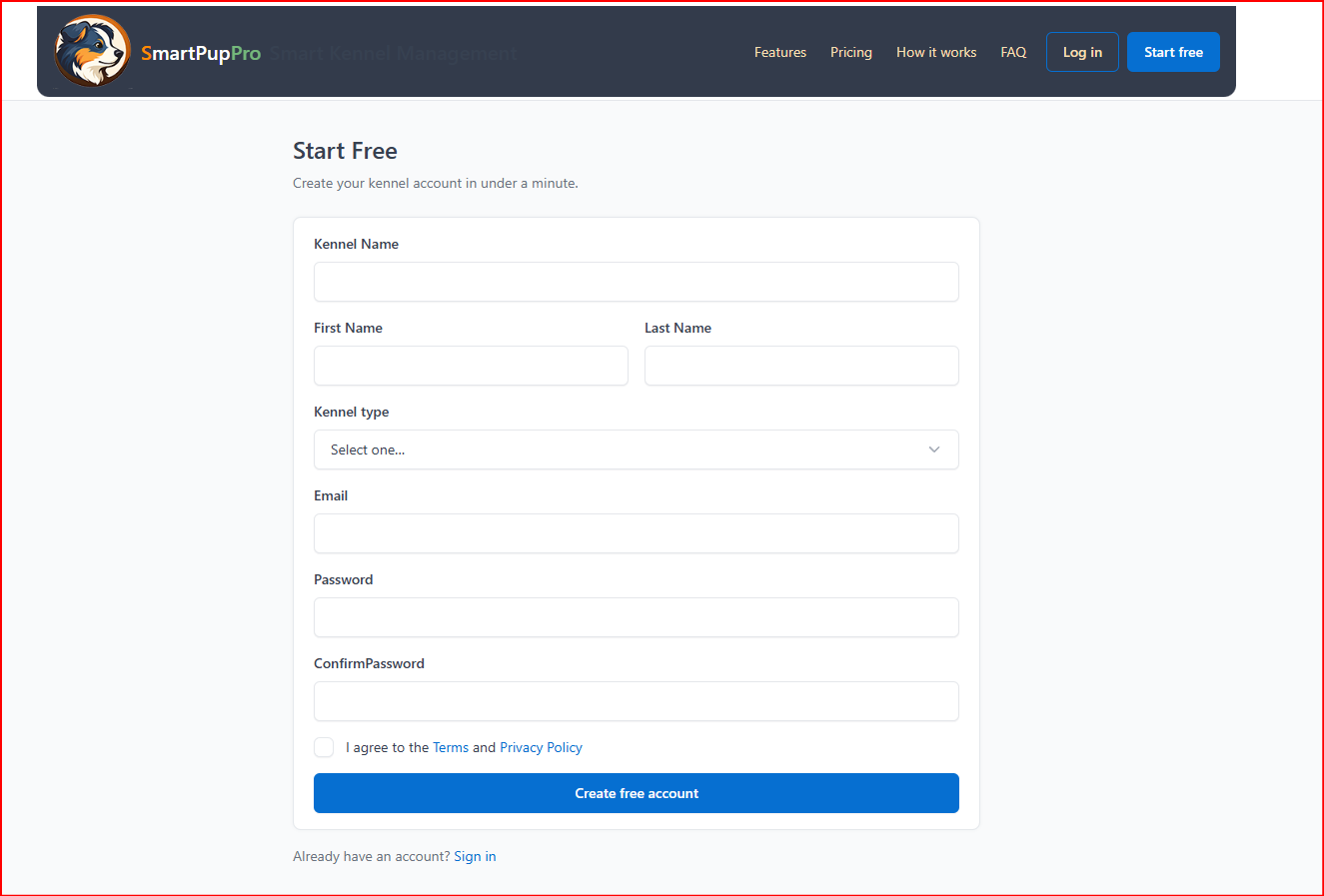
Create a SmartPupPro account
Users begin by creating a SmartPupPro account and setting up their kennel.
SMS notifications are not enabled during signup. Account creation happens first.
Configure reminders inside the app
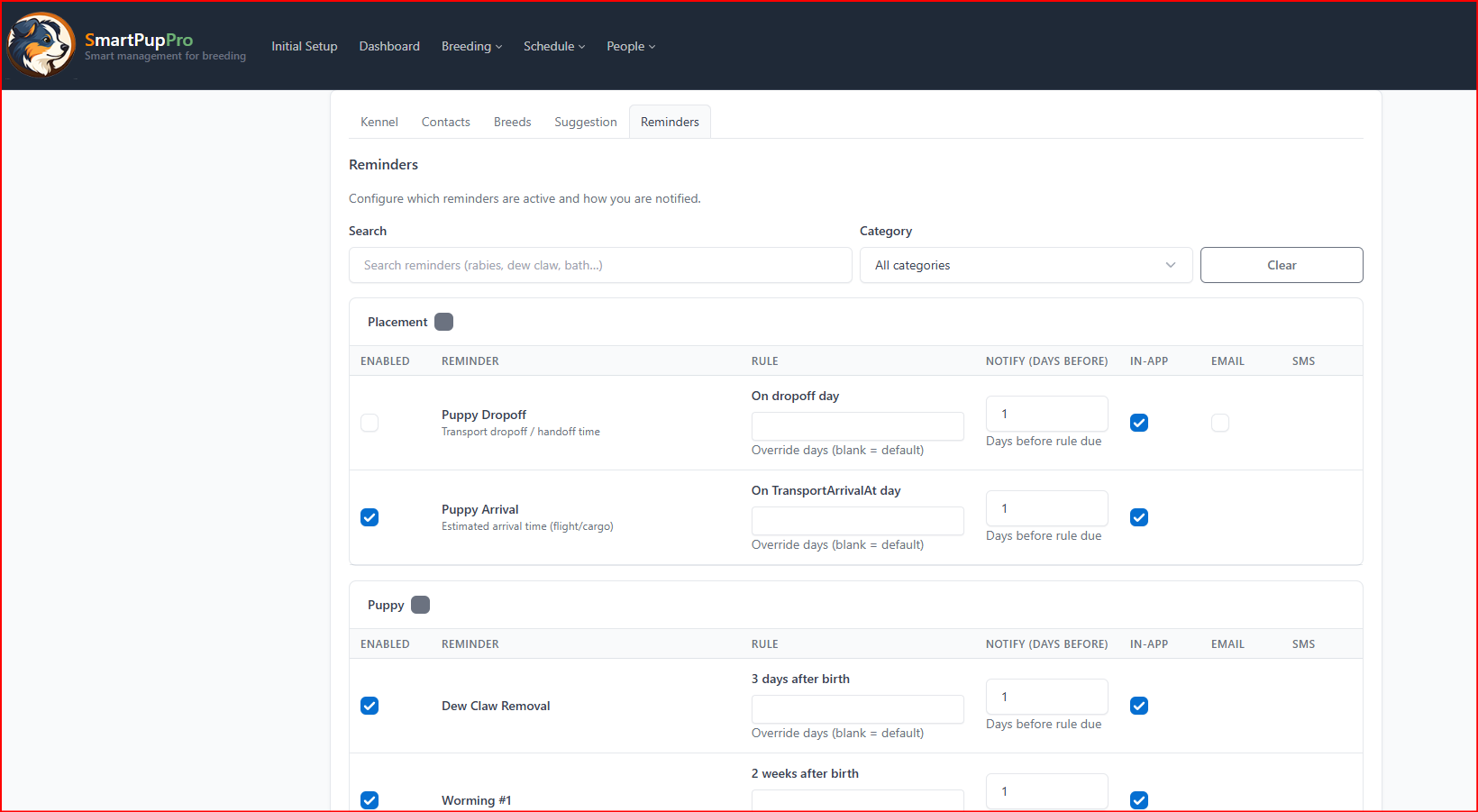
After signup, users choose which reminders and alerts they want SmartPupPro to manage.
These may include operational reminders, booking-related reminders, account alerts, and other notification settings available inside the platform.
Provide explicit SMS consent
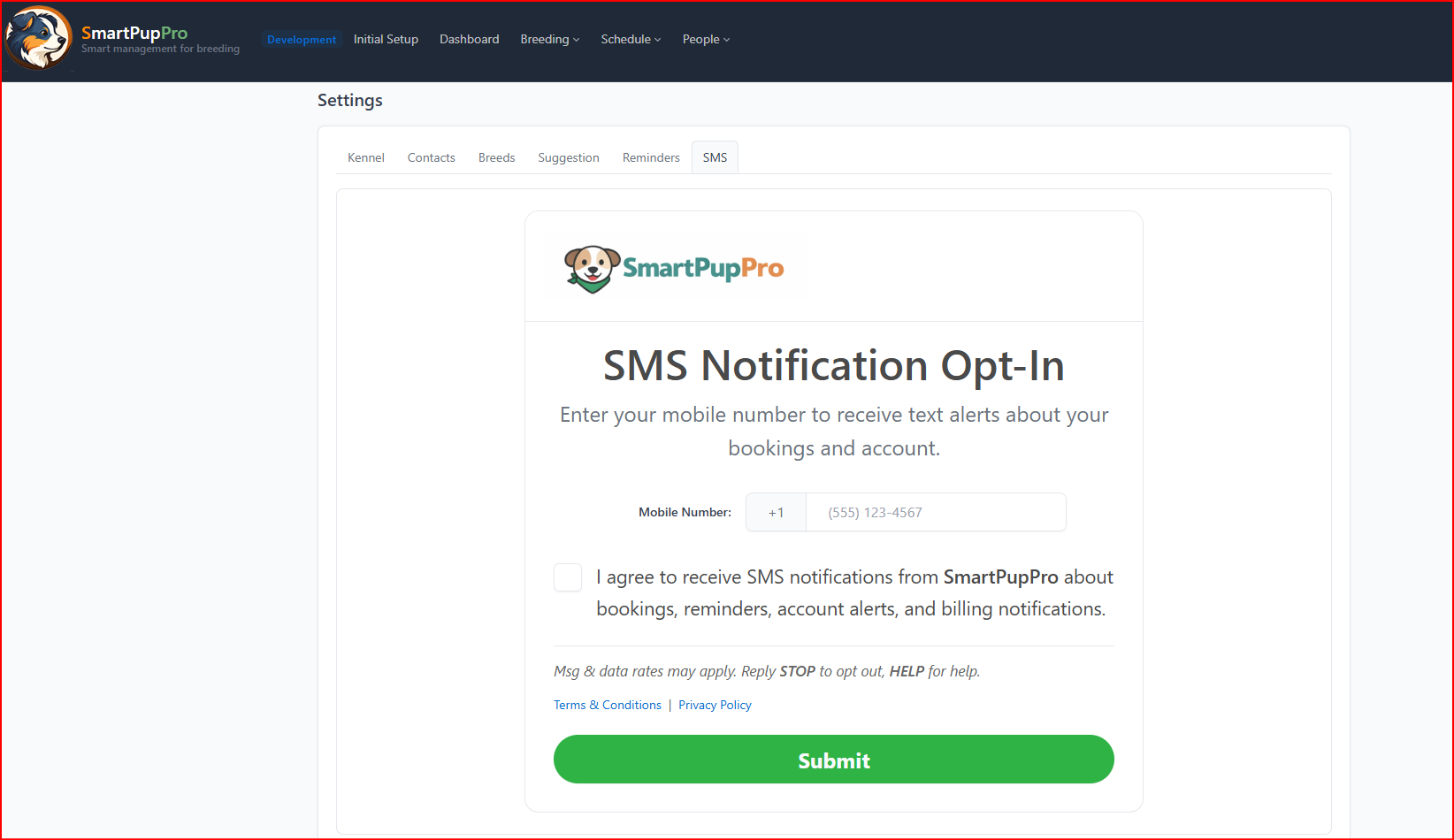
To receive text messages, the user must go to the SMS settings page, enter a mobile number, and check the consent box before submitting.
SMS consent is collected through a clear, user-initiated action. The checkbox is not pre-checked.
SMS is enabled only after submission
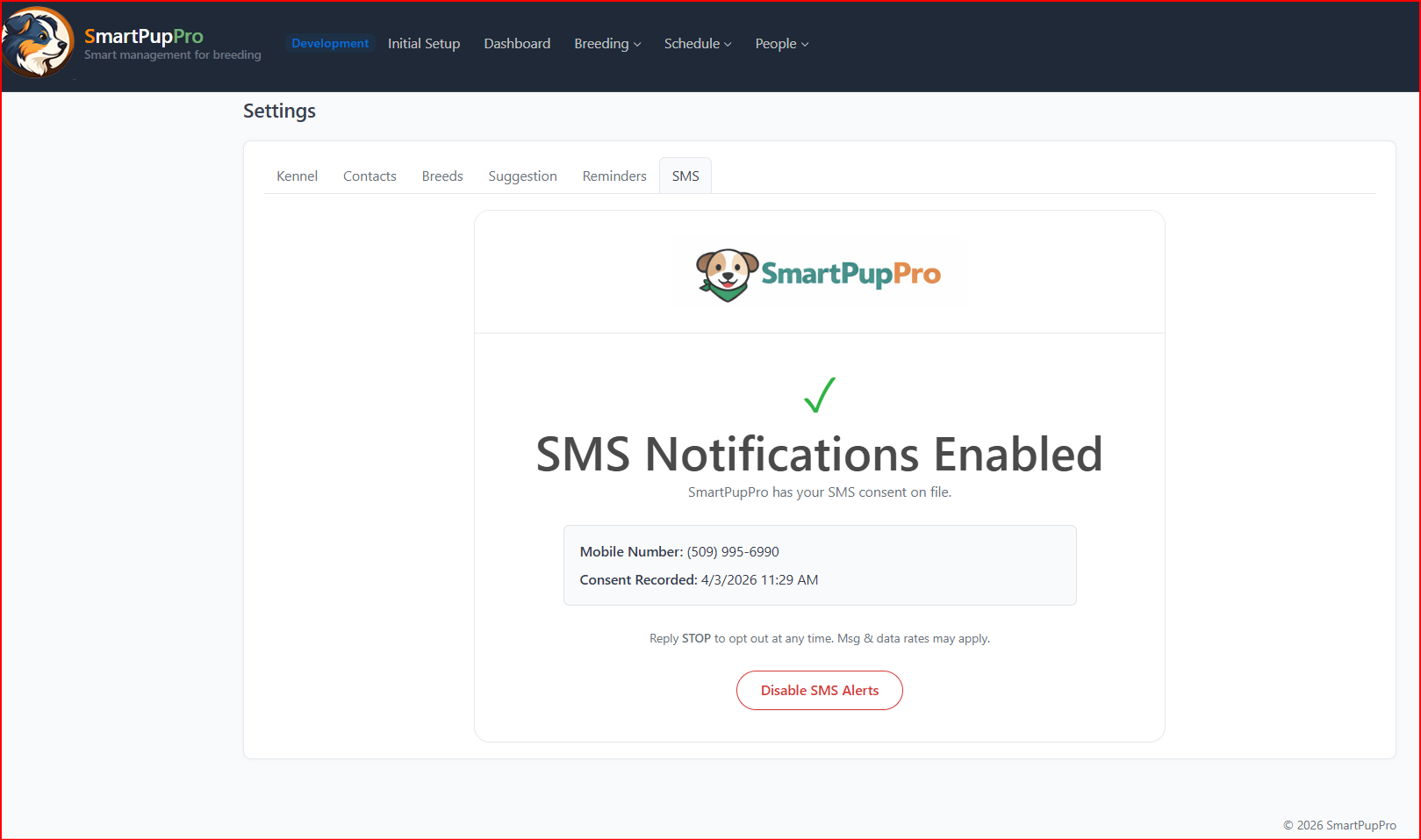
Once the user submits the SMS consent form, SmartPupPro records the consent and enables SMS notifications for that account and phone number.
Consent is tied to the phone number provided and can be reviewed later in settings.
Users can opt out at any time
Users may opt out of SmartPupPro SMS notifications at any time by replying STOP to any message.
Users may also disable SMS alerts inside their SmartPupPro settings.
Users can reply HELP for help.
Types of messages sent
SmartPupPro does not use this opt-in flow for unrelated promotional messaging.
Message frequency
Message frequency varies based on the user’s account activity, reminder settings, booking activity, and account notifications.
Help and opt-out
Terms and Privacy
For more information, please review our public policies:
Consent to receive SMS notifications is not required to use SmartPupPro, if that remains true for your product.